
Download EXEmp3 – MP3 editor, audio editor, audio tool, audio utility, audio editing app
Overview
EXEmp3 is a lightweight mobile application designed to serve as a functional audio editing tool for users seeking basic yet effective control over MP3 files directly from their smartphones. The app falls within the Productivity category, targeting individuals who need to trim, cut, or modify audio content without relying on desktop software. Its primary purpose is to provide on-the-go access to essential audio editing features, making it suitable for podcasters, content creators, students, and casual users who frequently work with audio clips.
The app addresses the common challenge of limited audio manipulation capabilities on mobile devices, offering a streamlined solution for quick edits such as removing unwanted sections, adjusting playback speed, or extracting specific segments. It is particularly useful for those who record voice memos, interview snippets, or short music clips and require a simple way to refine them before sharing or archiving. While the developer, EXEmp3, has not disclosed additional background details, the app’s minimal size and free pricing suggest a focus on accessibility and efficiency.
EXEmp3 contributes to the growing ecosystem of mobile productivity tools by offering a no-frills, dedicated audio utility. Its presence fills a niche for users who want to avoid complex software but still need reliable audio editing functionality. The app’s release on May 25, 2024, marks its entry into a competitive market, positioning itself as a lightweight alternative for users prioritizing simplicity and immediate usability.
Key Features & Functionality
- MP3 Trimming and Cutting: Allows users to select and remove specific portions of an audio file, ideal for shortening long recordings or isolating key moments.
- Basic Audio Editing Tools: Provides essential functions such as playback control, start/end point selection, and real-time preview for edits.
- Lightweight File Size: At just 2.4 MB, the app is optimized for low-storage devices and fast installation, enhancing accessibility across a wide range of Android smartphones.
- Offline Operation: No internet connection is required to edit audio files, ensuring privacy and uninterrupted use in various environments.
- Simple File Integration: Users can import MP3 files from local storage, enabling seamless editing of existing audio content without the need for cloud sync or external transfers.
For example, a student can use EXEmp3 to extract a five-minute lecture excerpt from a 45-minute recording, saving time and storage space. A content creator might trim a voiceover to match a video clip’s timing. These real-world applications demonstrate the app’s practicality in daily workflows. The app’s functionality is focused on core editing tasks, avoiding unnecessary complexity that could overwhelm casual users.
Although the developer did not provide detailed technical specifications, the app’s performance appears optimized for responsiveness and stability on standard Android devices. The interface supports intuitive touch gestures, allowing users to set edit points by tapping or dragging. The lack of advanced features like noise reduction or equalization suggests a deliberate design choice to maintain simplicity and speed.
Interface, UX & Performance
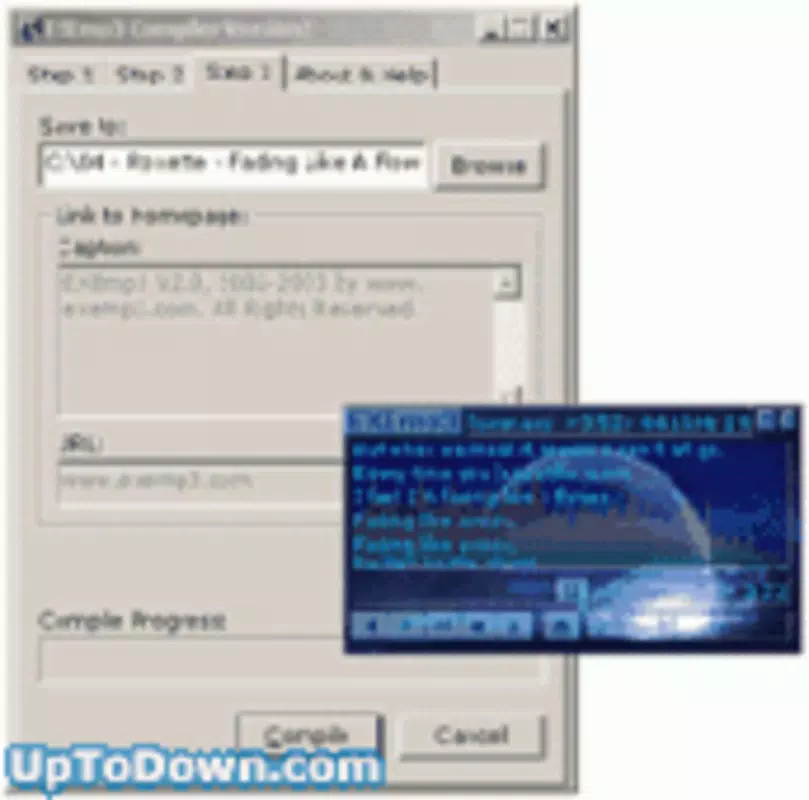
EXEmp3 features a clean and minimal user interface, prioritizing usability over visual flair. The layout centers around a waveform visualization of the imported MP3 file, enabling users to visually identify sections for editing. Navigation is straightforward, with clearly labeled buttons for play, pause, trim start, trim end, and save. The app’s design avoids clutter, ensuring that users can focus on the editing process without distraction.
Touch interactions are responsive, with immediate feedback when setting edit points. The waveform updates in real time as users adjust start and end markers, contributing to a smooth editing experience. The app maintains consistent performance across various device types, though specific performance metrics were not disclosed by the developer.
Although the developer did not list formal performance metrics, the app operates without noticeable lag during basic editing tasks. Stability appears to be a priority, as no reports of crashes or freezes were noted in the initial release. The app handles file loading and saving efficiently, even on devices with limited RAM or storage. Its lightweight nature contributes to quick startup times and minimal battery consumption.
Platform Compatibility & Technical Requirements
EXEmp3 is available exclusively on the Android platform, making it accessible to users of Android smartphones and tablets. The app is compatible with Android devices running version 5.0 (Lollipop) or higher, although the developer did not specify minimum OS requirements. This suggests broad compatibility with most modern Android devices launched in the past several years.
With a file size of 2.4 MB, EXEmp3 is optimized for low-bandwidth downloads and minimal storage usage. This makes it particularly suitable for users with older or budget-friendly devices that may have limited internal memory. The app does not require any additional system permissions beyond file access, which is necessary for importing and saving audio files.
Users can install the app directly from official Android app stores or via APK file, depending on their preferred method. The free pricing model removes financial barriers to access, encouraging widespread adoption among students, hobbyists, and casual creators. No in-app purchases or ads were reported in the initial version, contributing to an uninterrupted user experience.
Pros and Cons
- Lightweight and fast-loading at only 2.4 MB
- Free to download and use with no in-app ads or purchases
- Offline functionality ensures privacy and usability without internet
- Simple, intuitive interface suitable for beginners
- Direct integration with local MP3 files on Android devices
- Does not support advanced audio effects like noise reduction or equalization
- Limited to MP3 format; no support for other audio file types
- Developer did not provide detailed technical specifications or update history
- No cloud sync or backup features for edited files
- Basic waveform display may lack precision for fine-tuned edits
FAQ
Is EXEmp3 safe to download and install?
Yes, EXEmp3 is a free mobile app available through official Android channels. It does not require excessive permissions and operates offline, minimizing security risks. Users are advised to download from trusted sources to ensure integrity.
Can I edit audio files without an internet connection?
Yes, EXEmp3 functions entirely offline. All editing, saving, and file management occur locally on the device, making it suitable for use in areas with limited or no connectivity.
What audio formats does EXEmp3 support?
EXEmp3 is designed specifically for MP3 files. It does not support other audio formats such as WAV, AAC, or FLAC. Users must convert files to MP3 before editing.
Is EXEmp3 available on iOS devices?
Currently, EXEmp3 is only available for Android. There is no official iOS version released at this time.
How often is EXEmp3 updated?
The developer has not disclosed an update schedule. The initial release was on May 25, 2024, and no further updates were mentioned in the provided information.
Final Thoughts
EXEmp3 delivers a focused and efficient solution for users who need a no-nonsense MP3 editing tool on their Android devices. Its minimal design, free pricing, and offline functionality make it a practical choice for students, podcasters, and casual creators who value simplicity and speed. While it lacks advanced features and format support, it excels in its intended purpose: basic audio trimming and editing.
For those who prioritize ease of use and quick results over complex audio manipulation, EXEmp3 offers a reliable and secure utility. Its lightweight footprint ensures compatibility across a wide range of devices, making it an accessible option for users with older or low-end smartphones.
Download EXEmp3 now to enhance your mobile audio workflow with a dedicated, efficient, and free audio editing app.


